

Have you ever found yourself wondering why your hoverboard won’t stop beeping? If so, you’re not alone. In this article, we’ll explore the common reasons behind this persistent sound and help you understand what might be causing your hoverboard to be constantly beeping. Stay tuned to uncover the mystery and find a solution to this annoying issue!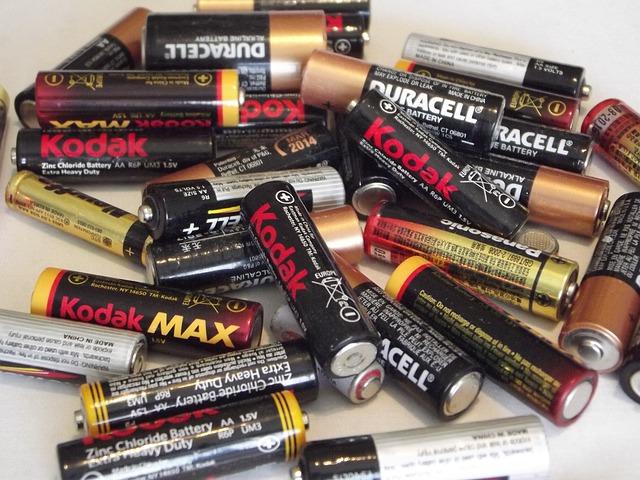
Contents
- Low battery warning: what you need to know
- Overheating issues that can trigger beeping alarms
- How to troubleshoot connection problems causing the beeping
- Understanding the significance of different beep patterns
- The importance of regular maintenance for your hoverboard
- Ensuring a smooth ride by addressing tire issues promptly
- Professional tips for resolving beeping on your hoverboard
- Key Takeaways
- Stay Connected: App for Hoverboard Users Now Available
- Where to Find Hoverboard in Fortnite: Exclusive Locations!
- Top Picks: Best Kids Hoverboard 2023 - Explore Now
- Heavy-Duty Adventures: Best Hoverboard for Adults Over 200 Pounds
- Which Hoverboards Are Catching Fire? Safety Alerts
- Can You Ride a Hoverboard in the Rain? Safety Tips Unveiled!
Low battery warning: what you need to know
If your hoverboard is constantly beeping, it could be due to a low battery warning. When the battery level is running low, the hoverboard will typically emit a series of beeps to alert you to the situation. It’s important to pay attention to this warning to avoid unexpectedly running out of power.
When you hear the beeping, it’s best to stop riding your hoverboard and recharge the battery as soon as possible. Ignoring the low battery warning can lead to the hoverboard shutting off abruptly, which can be dangerous if you’re in motion. To prevent this from happening, always keep an eye on your battery level and recharge when necessary.
Over time, the battery capacity of your hoverboard may also decrease, leading to more frequent low battery warnings. If you find that you’re constantly having to recharge your hoverboard, it may be time to consider replacing the battery. Consult your hoverboard’s manual or contact the manufacturer for guidance on battery replacement.
By staying proactive and attentive to your hoverboard’s battery level, you can ensure a safe and enjoyable riding experience. Remember to listen for the low battery warning and take action accordingly to keep your hoverboard running smoothly.

Overheating issues that can trigger beeping alarms
When it comes to your hoverboard constantly beeping, one of the main culprits is overheating. Overheating can trigger beeping alarms on your hoverboard to alert you of a potential issue. There are several overheating issues that can cause these alarms to go off, including:
- Battery Overheating: The most common reason for beeping alarms on your hoverboard is due to the battery overheating. This can happen if you have been riding your hoverboard for an extended period of time without giving it a break to cool down.
- Motor Overheating: Another common cause of overheating alarms is the motor overheating. This can happen if you are putting too much strain on the motor by riding on uneven terrain or going up steep hills for a prolonged period.
If you notice your hoverboard constantly beeping, it is essential to address the overheating issues promptly to prevent any potential damage to your hoverboard or even yourself. Taking breaks during extended rides, avoiding overexertion of the motor, and ensuring proper ventilation for the battery are some simple steps you can take to prevent overheating and the annoying beeping alarms.
How to troubleshoot connection problems causing the beeping
One possible reason your hoverboard is constantly beeping could be due to connection problems. This can be frustrating, but there are steps you can take to troubleshoot and resolve this issue:
- Check all connections: Make sure that all cables and wires are securely connected to their respective ports. Loose connections can cause beeping alerts.
- Inspect the charger: Verify that the charger is functioning properly and that it is plugged into a working outlet. A faulty charger can lead to connectivity issues.
- Restart the hoverboard: Sometimes a simple reboot can fix connectivity problems. Turn off the hoverboard, wait for a few minutes, and then turn it back on to see if the beeping stops.
- Update firmware: If your hoverboard has a companion app, check for any available updates. Updating the firmware can sometimes resolve connection issues.
If these troubleshooting steps do not resolve the beeping problem, it may be best to contact the manufacturer or a professional for further assistance. It’s important to address connectivity issues promptly to ensure the safety and functionality of your hoverboard.
Understanding the significance of different beep patterns
When your hoverboard starts beeping incessantly, it can be quite annoying and frustrating. However, these beep patterns actually serve an important purpose in helping you understand what might be going wrong with your device. By decoding the different beep patterns, you can quickly identify the cause of the issue and take appropriate action to resolve it.
Here are some common beep patterns and their significance:
- Continuous beeping: This typically indicates a low battery or an issue with the power supply. Make sure to charge your hoverboard fully before using it again.
- Intermittent beeping: This could signal a problem with the internal components or a loose connection. Check for any visible damage or loose wires and tighten them if necessary.
- Rapid beeping: This may indicate an overload or overheating issue. Allow your hoverboard to cool down before using it again to prevent any damage.
By paying attention to these beep patterns and understanding their significance, you can effectively troubleshoot any issues with your hoverboard and keep it running smoothly for years to come.

The importance of regular maintenance for your hoverboard
If your hoverboard is constantly beeping, it could be a sign that regular maintenance is needed. Proper maintenance is crucial to ensure the longevity and functionality of your hoverboard. Ignoring the beeping sound could lead to more serious issues down the line.
One common reason for a constantly beeping hoverboard is low battery power. Make sure to charge your hoverboard regularly to prevent this issue. Additionally, check the battery connections and cables for any signs of damage or wear and tear.
Another possible cause of the beeping could be the hoverboard’s sensors being dirty or malfunctioning. Clean the sensors with a soft cloth and ensure that they are free from any debris or obstructions. If the beeping continues, it might be necessary to have the sensors professionally inspected and calibrated.
Overall, staying on top of regular maintenance tasks such as cleaning, inspecting, and lubricating your hoverboard can help prevent issues like constant beeping. By taking care of your hoverboard, you can enjoy a smooth and trouble-free riding experience for years to come.

Ensuring a smooth ride by addressing tire issues promptly
If your hoverboard is constantly beeping, it can be quite annoying and concerning. There are a few potential causes for this issue that you should investigate to ensure a smooth ride and prevent any safety hazards.
One common reason for constant beeping is low battery levels. **Make sure to charge your hoverboard fully before each use to avoid this issue. Also, check if the battery is damaged or needs replacing.**
Another possible cause of the beeping could be tire issues. **Inspect your tires for any punctures, wear, or debris that may be causing the noise.** Replace any damaged tires promptly to avoid further problems.
In some cases, the beeping could be a sign of a malfunction in the hoverboard’s internal components. **If you suspect this is the case, it is best to consult a professional repair service to diagnose and fix the issue.**
By addressing these potential causes promptly, you can ensure a smooth and safe ride on your hoverboard without the constant beeping disrupting your experience.
Professional tips for resolving beeping on your hoverboard
One common issue that hoverboard owners may encounter is the constant beeping coming from their device. This can be annoying and disruptive, but it is usually a sign that something is wrong with the hoverboard that needs to be addressed. Here are some professional tips to help you resolve the beeping on your hoverboard:
- Check the battery level: Low battery levels can often trigger beeping on a hoverboard. Make sure your hoverboard is fully charged before use.
- Inspect for any damage: Examine your hoverboard for any visible signs of damage or wear and tear that could be causing the beeping.
- Reset the hoverboard: Sometimes, a simple reset can resolve beeping issues. Turn off the hoverboard, wait a few minutes, then turn it back on.
If the beeping persists after trying these tips, it may be time to consult a professional technician for further diagnosis and repair. Ignoring the beeping could lead to more serious problems with your hoverboard, so it’s important to address the issue promptly.
Key Takeaways
In conclusion, a beeping hoverboard can be frustrating but understanding the reasons behind it can help you tackle the issue effectively. Remember to check for issues with the battery, motors, or even the sensors to identify the root cause of the constant beeping. By following these troubleshooting tips, you can keep your hoverboard in top condition and ensure a smooth riding experience. Stay informed and stay safe as you enjoy all the benefits your hoverboard has to offer. Happy riding!